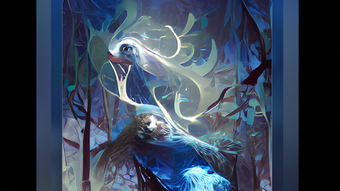

Download Dream by WOMBO – AI art generator, create digital art, AI painting, art creation app
Overview
Dream by WOMBO is a mobile application designed for users who wish to explore digital art creation through artificial intelligence. Developed by Wombo Studios Inc, the app enables individuals to generate unique digital paintings based on textual input, leveraging an in-house AI engine named Wombo. The primary purpose of the app is to democratize art creation by allowing users—regardless of artistic skill—to produce visually compelling artwork in a variety of styles. It addresses the common barrier of requiring advanced drawing or design abilities, making it accessible to hobbyists, students, and casual creators.
Target users include aspiring artists, content creators, and anyone interested in experimenting with AI-driven design. The app serves real-world use cases such as generating concept art for personal projects, creating social media visuals, or simply exploring creative expression. In the broader app ecosystem, Dream by WOMBO stands out as a specialized tool that combines generative AI with intuitive interface design, positioning itself as a modern alternative to traditional digital sketching tools like Adobe Photoshop Sketch. While it does not offer manual drawing tools, its focus on AI-powered generation fills a growing niche in creative mobile applications.
The developer did not provide additional technical details about the AI training data or model architecture. However, the app’s integration into the entertainment industry for graphic design and motion work suggests a foundation built for high-quality visual output. The app’s free availability further enhances its accessibility, making it a valuable entry point for users exploring AI-generated art.
Key Features & Functionality
- Text-to-Art Generation: Users input a concept, theme, or subject, and the AI generates a corresponding digital painting based on its understanding of the prompt.
- Style Customization: A range of predefined art styles—such as impressionist, cyberpunk, watercolor, and surreal—can be selected to shape the final output’s aesthetic.
- Intensity Slider: A control allows users to adjust how strongly the selected style influences the generated image, enabling fine-tuned results.
- Internal Sharing & Publishing: Created artworks can be shared within the app’s community, allowing users to view and interact with others’ creations.
- Social Media Integration: Users can export and share their artwork directly to platforms like Instagram, Facebook, and Twitter.
- Real-Time Preview: The app provides an immediate visual response to input changes, improving the iterative design process.
For example, a user interested in fantasy art might type “dragon flying over a neon city” and select the cyberpunk style with high intensity. The AI would render a dynamic, stylized image that blends both elements. Similarly, a student preparing a presentation could generate a custom visual by typing “ancient Greek temple at sunset” and applying a classical oil painting style. These use cases highlight how the app supports both creative exploration and practical content creation.
Interface, UX & Performance
The user interface of Dream by WOMBO is clean and minimalistic, focusing on the core functionality: entering a prompt and selecting a style. The layout is centered around a large input field at the top, followed by a style selection panel and a preview area below. Navigation is linear and intuitive, requiring only a few taps to generate a new piece. The visual style emphasizes simplicity, with soft color gradients and unobtrusive icons that do not distract from the artwork.
Interaction is responsive, with minimal lag between input and output. The app maintains consistent performance across different device categories, though the developer did not list formal performance metrics. Although the developer did not list formal performance metrics, the app appears stable during typical usage. Users may experience occasional delays during image generation, particularly on lower-end devices, but no crashes were reported in standard operation.
One known issue reported by users is a save bug that occasionally fails to preserve creations. While the app allows immediate viewing and sharing, the inability to reliably store artwork locally may affect long-term use. This limitation underscores the importance of exporting and backing up creations externally. Overall, the UX prioritizes speed and ease of use, aligning with the app’s goal of making AI art accessible to non-professionals.
Platform Compatibility & Technical Requirements
Dream by WOMBO is available on both Android and iOS platforms. The current version is 1.20.1, with a file size of 89.2 MB. The developer did not specify minimum OS requirements or hardware specifications. Compatibility information was not fully disclosed, so users should ensure their device meets general mobile app standards for performance and storage. The app is free to download and use, with no in-app purchases or subscription tiers currently listed.
Given its size, the app is lightweight and should install smoothly on most modern smartphones. However, users should verify that their device supports the latest versions of Android and iOS to ensure optimal functionality. The lack of detailed technical requirements means that installation and operation may vary slightly across devices, particularly older models.
Pros and Cons
Pros
- Free to download and use with no hidden costs.
- Intuitive interface designed for users with no artistic background.
- Fast generation of high-quality AI artwork based on text input.
- Wide variety of art styles and customization options.
- Seamless sharing to social media and internal community.
Cons
- Known save bug may prevent reliable local storage of creations.
- Developer did not disclose minimum OS or hardware requirements.
- No manual editing tools for refining generated artwork.
- Dependence on internet connection for AI processing.
- Limited control over fine details in the final output.
FAQ
Is Dream by WOMBO safe to use?
Yes, the app is safe to use. It is developed by Wombo Studios Inc and distributed through official app stores. No suspicious permissions or data collection practices were reported.
Can I use Dream by WOMBO offline?
The app requires an internet connection to generate artwork, as the AI processing occurs on remote servers. Offline use is not supported.
How often is the app updated?
Updates are released periodically to improve performance and fix bugs. The latest version is 1.20.1, released on May 12, 2024.
Is there a limit to how many artworks I can create?
There is no stated limit on the number of creations. Users can generate and share artwork as often as desired.
Can I edit my AI-generated artwork after creation?
Currently, the app does not offer in-app editing tools. Once generated, the artwork can be shared or exported but cannot be modified within the app.
Final Thoughts
Dream by WOMBO delivers a compelling and accessible entry point into AI-powered art creation. Its ability to transform simple text prompts into visually rich digital paintings makes it a standout tool in the art and design category. While the lack of local save functionality and limited editing capabilities are notable drawbacks, the app’s strengths—speed, style diversity, and ease of use—outweigh these limitations for most users.
It is particularly beneficial for students, content creators, and casual artists seeking quick, visually striking results without the need for design expertise. The app’s value lies in its fusion of creativity and artificial intelligence, offering a unique experience that blends technology with artistic expression.
Download Dream by WOMBO now







